To search
You are here: > > > FolderTeint
Softonic Rating:
Very good:8/10
License:
Free
Added:
February 6, 2008
Publisher:
Website | More programs (1)
File size:
305 KB
Downloads:
211
Cyril Roger

“Fix Leopards folder icons”

by Cyril Roger

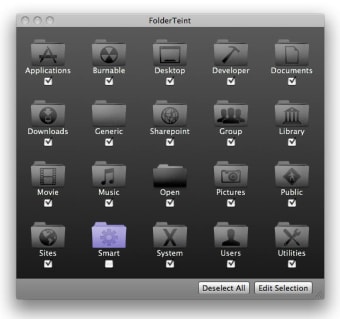
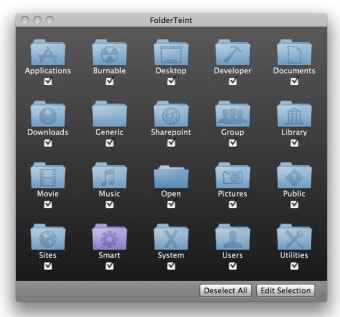
FolderTeint is an intuitive application which lets you change Leopard folder icons.

Leopard has both been hailed and criticized for its cosmetic changes. Whether you're not happy with the new folder icons or if you'd just like to play around with their appearance, then you'll probably like FolderTeint.

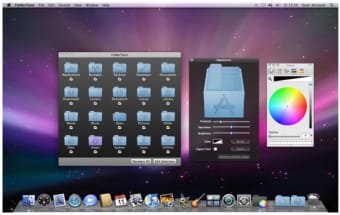
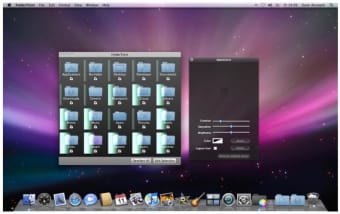
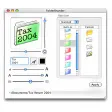
With it, you can quickly edit the style of any folder icon, adjusting things like contrast, saturation and brightness. You can also choose any color you want. Editing features are not highly advanced but they'll still let you make a great deal of changes. They're also really easy to work with and pretty much anybody can achieve good results with them. You can also backup existing icons if you want to revert to them later on. We also liked how you can quickly apply changes to multiple icons and immediately see the results.

With FolderTeint, you'll be able to change the appearance of your Leopard icons quickly and easily.

Languages:

English

OS requirements for FolderTeint:

  • OS: Mac OS X

Minimum requirements:

  • Mac OS X 10.5.0 or later
  • Administrator privileges (FolderTeint changes basic system files. Use at your own risk!)
  • CoreAnimation Effects need a capable graphics card
Pros
  • Create quality custom icons
  • Intuitive
Cons
  • Basic editing features
Did you like this review?
3 of 5 users liked it (60%)

FolderTeint Softonic Rating: 8Featured program

Softonic gives special recognition to software of exceptionally high quality. More information

From the publisher of FolderTeint

With FolderTeint you can easily adjust the appearance of Leopard’s folder icons with tools for color, contrast, saturation and brightness. It offers the following features:

  • Adjustment of Leopards stock icons
  • HUD display with sliders for contrast, saturation and brigthness
  • High resoultion icons, generated with IconFamily
  • Backup of existing icons
  • Clean and easy to use interface

FolderTeint options

FolderTeint Options
Softonic Rating:Very good
9/10

User Rating

1 rating
Usability
  • Currently 10/10.
Stability
  • Currently 10/10.
Installation
  • Currently 10/10.
Functionality
  • Currently 7/10.
Appearance
  • Currently 9/10.

Download stats

Related

Related searches


Are you the developer of FolderTeint?

If your program has received a Softonic rating, feel free to use the following award badge on your site or as part of any other promotional feature you may be putting together.

FolderTeint Softonic Rating

Click on the above text field to copy the necessary HTML to your clipboard and then paste it to your website. It will display your program's Softonic Rating and will link to your program page.

Any queries? Contact us if you want more info.

Close